Supplier ထည့်သွင်းရန်အတွက်
Buying > Supplier
1)Myanmar Currency Supplier Setup
- Add Supplier ကိုနှိပ်ပါ။
-
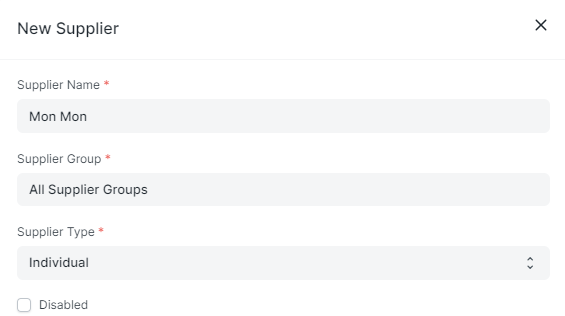
Supplier Name တွင်သက်ဆိုင်ရာ Supplier Name ကိုထည့်ပါ။
-
Supplier Group ကိုရွေးချယ်ပါ။
-
Supplier Type ကိုရွေးချယ်ပါ။
-
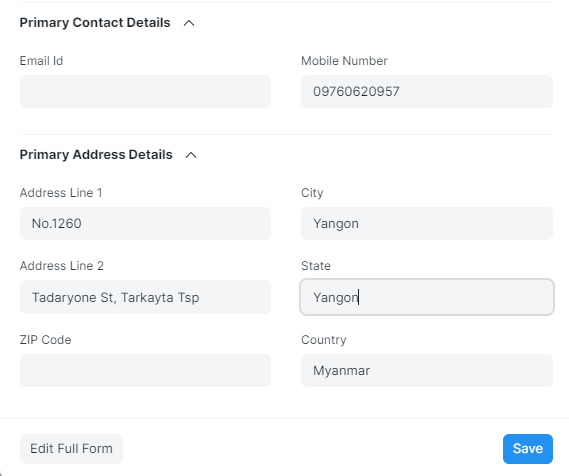
Supplier ၏ဖုန်းနံပါတ်နှင့် လိပ်စာများထည့်သွင်းချင်ပါက Primary Contact Details အောက်တွင်ရှိသော Mobile Number တွင် Supplier ၏ဖုန်းနံပါတ်ကိုထည့်ပါ။
-
Primary Address Details တွင် Supplier ၏လိပ်စာကိုထည့်သွင်းပါ။
-
Save ကိုနှိပ်ပါ။
- ထည့်သွင်းလိုက်သော Supplier Name ကို Supplier List တွင်အောက်ပါအတိုင်းတွေ့ရပါမည်။

-
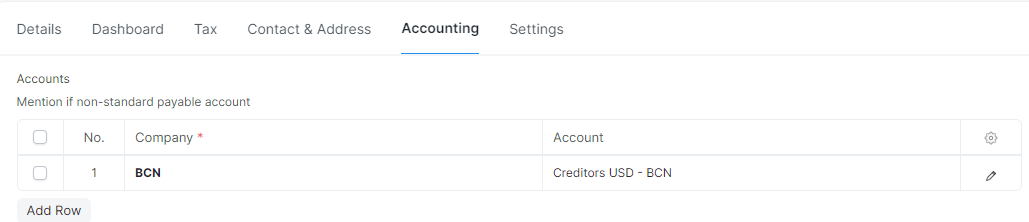
Supplier ကို Payable Account ချိတ်ရန်အတွက် ထို Supplier ထဲကိုဝင်ပါ။
-
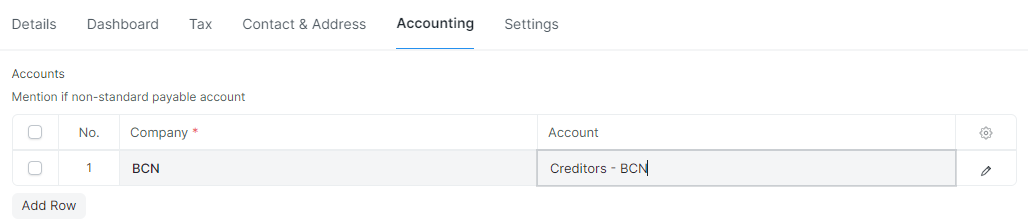
Accounting အောက်တွင်ရှိသော Accounts တွင် Add Row ကိုနှိပ်ပါ။.
-
Account တွင် Payable Account ကိုချိတ်ပါ။
-
ထို့နောက် Save ကိုနှိပ်ပါ။
2)Foreign Currency Supplier Setup
- Foreign Currency Supplier Name အားထည့်သွင်းရန်အတွက် Buying ထဲမှ Supplier ကိုနှိပ်ပါ။


- Add Supplier ကိုနှိပ်ပါ။
-
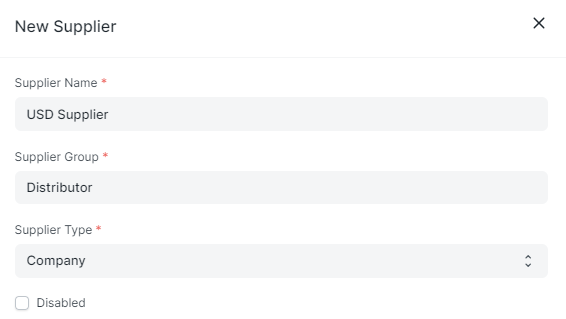
Supplier Name တွင်သက်ဆိုင်ရာ Foreign Supplier Name ကိုထည့်ပါ။
-
Supplier Group ကိုရွေးချယ်ပါ။
-
Supplier Type ကိုရွေးချယ်ပါ။
-
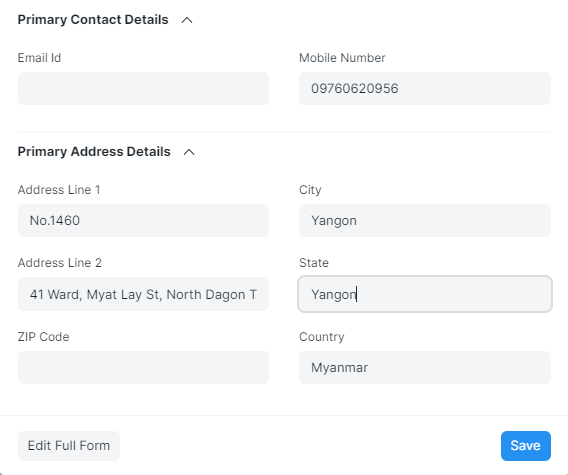
Supplier ၏ဖုန်းနံပါတ်နှင့် လိပ်စာထည့်သွင်းချင်ပါက Primary Contact Details အောက်တွင်ရှိသော Mobile Number တွင် Supplier ၏ဖုန်းနံပါတ်ကိုထည့်ပါ။
-
Primary Address Details တွင် Supplier ၏လိပ်စာကိုထည့်ပါ။
-
Save ကိုနှိပ်ပါ။
- ထည့်သွင်းလိုက် Foreign Currency Supplier ကို Supplier List တွင်အောက်ပါအတိုင်းတွေ့ရပါမည်။

-
Foreign Currency Supplier ဖြစ်ပါက ထို Supplier ထဲကိုဝင်ပါ။
-
Defaults အောက်တွင်ရှိသော Billing Currency နှင့် Price List တွင်ထည့်ပါ။

-
Accounting အောက်တွင်ရှိသော Accounts တွင် Add Row ကိုနှိပ်ပါ။
-
Default Payable Account ကိုချိတ်ပါ။ ( Foreign Currency Supplier ဖြစ်ပါက Foreign Currency Payable Account )
-
ထို့နောက် Save ကိုနှိပ်ပါ။