HRMs Forget Password
Frapper HR ထဲသို့ဝင်ရန် Password မေ့နေခဲ့လျှင် ပြုလုပ်ရမည့် အဆင့်များ
- ဖုန်းထဲရှိ Chrome ကိုဖွင့်ပါ။
Company URL ကို ရိုက်ထည့်ပါ။
-
xxxxxxxxxxxx.com/login ကိုရိုက်ထည့်ပါ။
-
Email Address ရိုက်ထည့်ပါ။
-
Forget Password ကို နှိပ်ပါ။
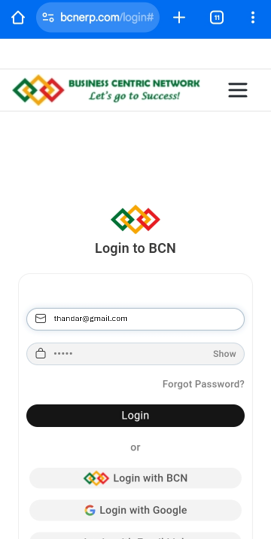
-
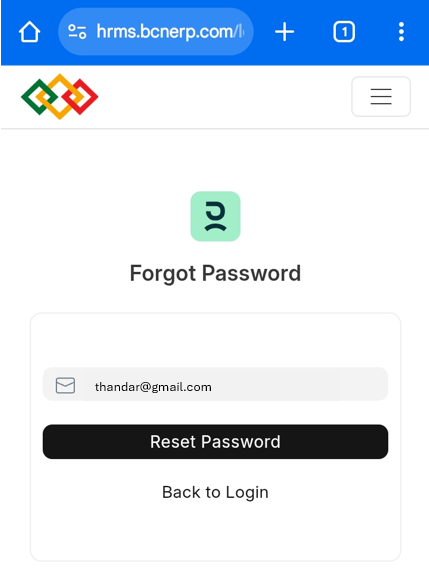
ပုံတွင်ပြထားသည့်အတိုင်းပေါ်လာပါက
-
Email Address ရိုက်ထည့်ပါ။
-
Reset Password ကိုနှိပ်ပါ။
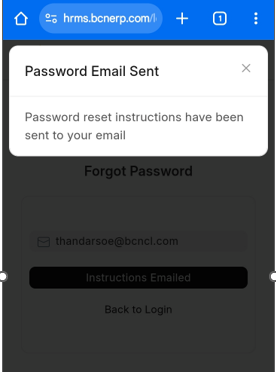
- Password reset instructions have been sent to your email ဟု Massage ပြပေးပြီးနောက်
-
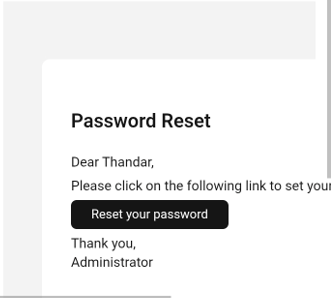
Email ထဲသို့ ဝင်၍ Password Reset အတွက် ပို့ထားသော မေးလ်ကို ဖွင့်ပါ။
-
Reset your password ကိုနှိပ်ပါ။
-
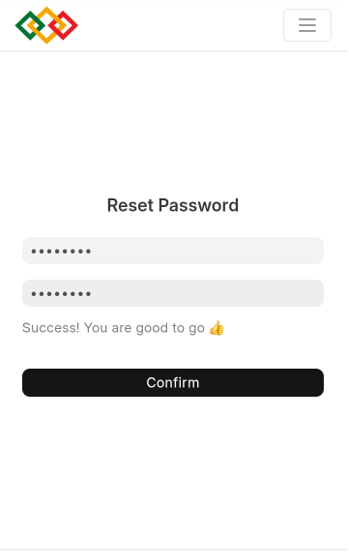
လျှိုဝှက်နံပါတ်ကို text box နှစ်ခုစလုံးတွင် တူအောင် ရိုက်ထည့်ပါ။
-
Confirm ကိုနှိပ်ပါ။
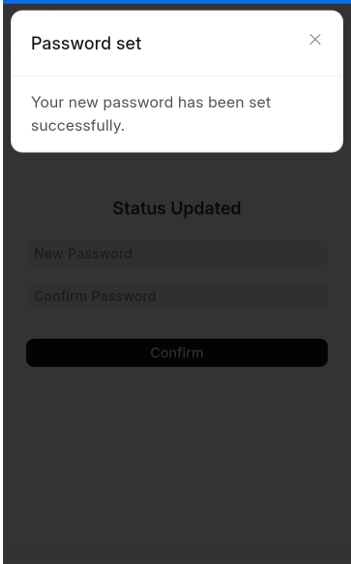
- Your new password has been set successfully ဟု Massage ပြပေးပါမည်။
- Frappe HR App ကိုဖွင့်ပါ။
-
Email ရိုက်ထည့်ပါ။
-
ပြောင်းလိုက်သော Password ရိုက်ထည့်ပါ။
-
Login ကိုနှိပ်ပါ။
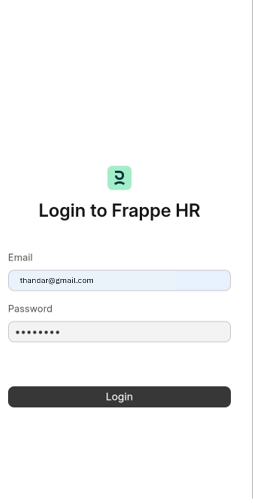
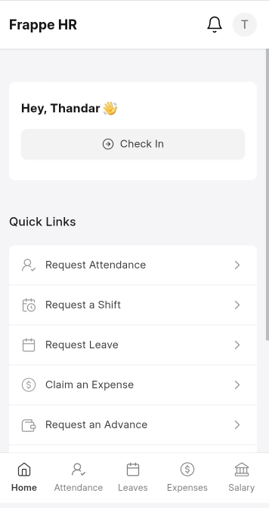
အောက်ပါတိုင်း Login ဝင်၍ ရသွားပါမည်။
Last updated 4 months ago
Was this helpful?