BCN Item Wise Stock Balance Report
** BCN Item Wise Stock Balance Report သည် လုပ်ငန်းတွင်ရှိသော Warehouse များအားလုံး၌ အမှန်တကယ်ရှိသော အရေအတွက်ကို ဖော်ပြပေးစေလိုလျှင် ကြည့်ရပါမည်။
**
Item များအားလုံး၏ Actual Qty ကို ကြည့်နည်း
Item တစ်ခုချင်းအတွက်
- Item Code
- Item Name
- Item Group
- Brand
- UOM
- Warehouse
- Actual Qty တို့ကို အသေးစိပ် ဖော်ပြပေးပါသည်။၊
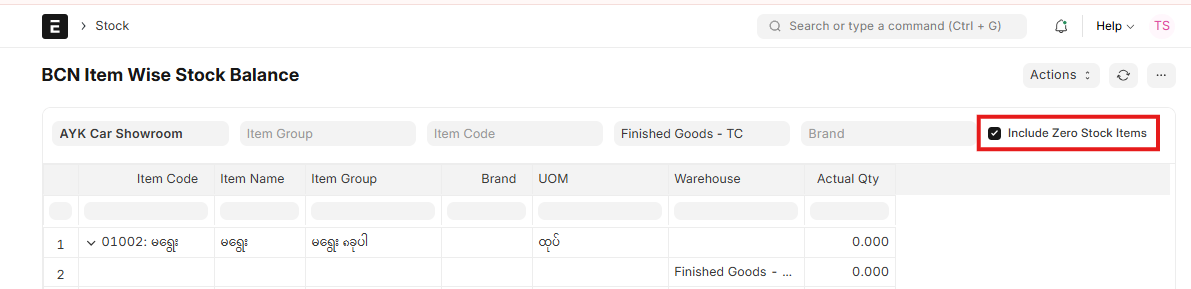
- Include Zero Stock Items ကိုအမှန်ခြစ်ထားပါက Actual Qty တွင် (0) ဖြစ်နေသည်ကိုပါ ပြပေးပါမည်။
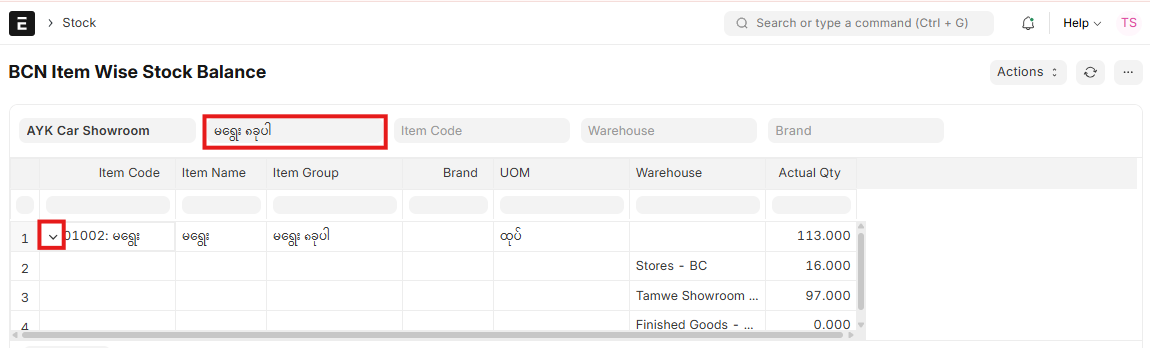
Item Group တစ်ခုခြင်း၏ စုစုပေါင်း Actual Qty ကို ကြည့်နည်း
- Item Group တစ်ခုချင်းအလိုက် ရွေး၍ ကြည့်နိုင်ပါသည်။ ပုံတွင် အနီရောင်နှင့် ပြထားသော မျှားကို နှိပ်ပါက စုစုပေါင်း Actual Qty ကို ပြပေးပါသည်။
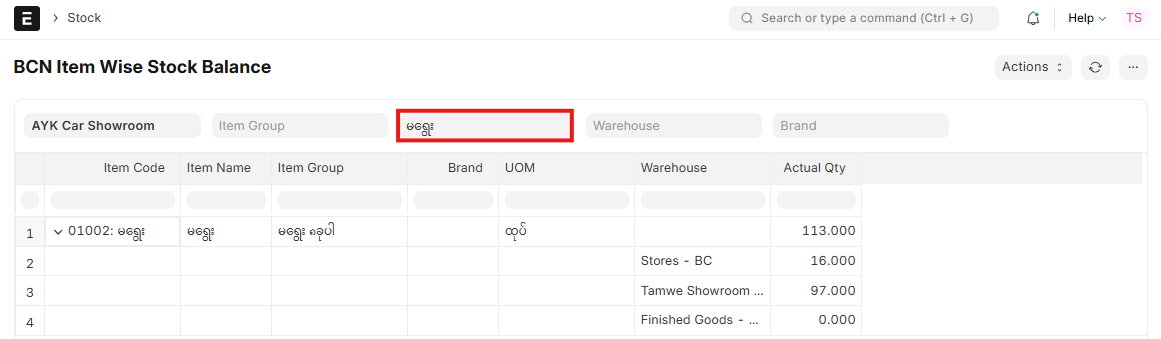
Item Name or Item Code နှင့် ရွေး၍ ကြည့်နည်း
- Item Code နေရာတွင် ကြည့်လိုသော Item အမည် (သို့မဟုတ်) Item Code ကို ရိုက်ထည့်၍ ကြည့်နိုင်ပါသည်။
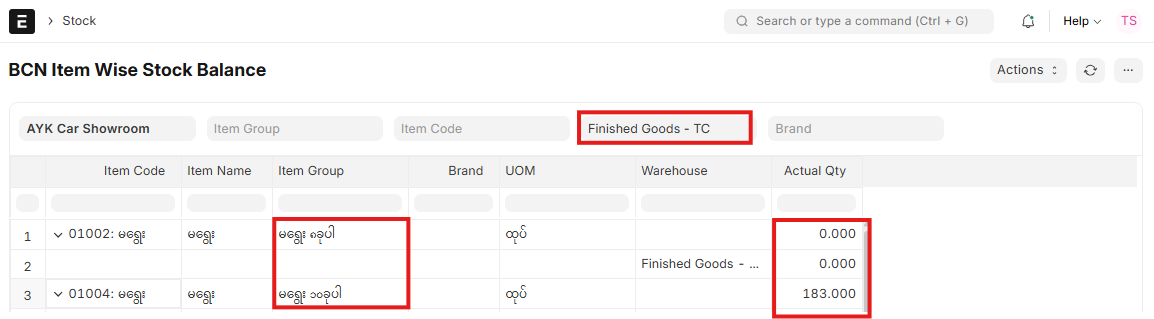
Warehouse အလိုက် ကြည့်နည်း
- ကြည့်လိုသော Warehouse ကို ရွေး၍ ကြည့်ပါက အဆိုပါ Warehouse ထဲရှိ Item များကို ဖော်ပြပေးပါသည်။
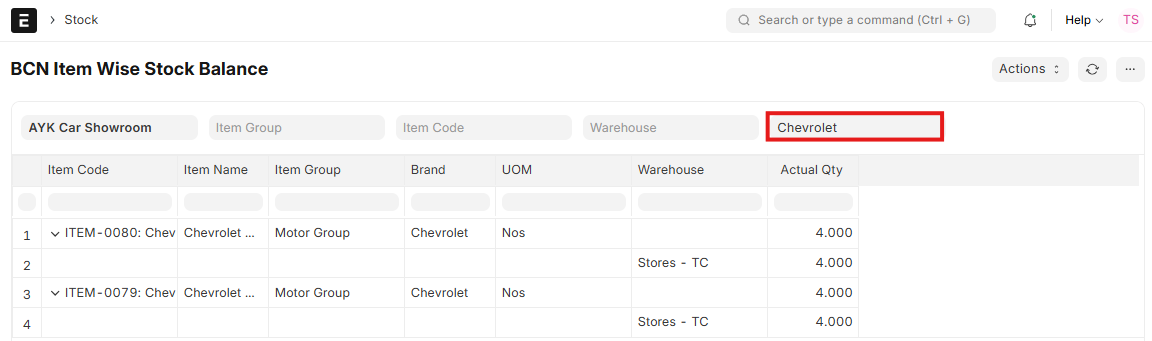
Brand အလိုက် ကြည့်နည်း
- ကြည့်လိုသော Brand ကို ရိုက်ထည့်၍ ကြည့်နိုင်ပါသည်။
မှတ်ချက်
- Order Qty, Reserved Qty တို့ကို စစ်လိုလျှင် Bin Report တွင် စစ်ရပါမည်။
- Fixed Asst Item နှင့် Service Item ကို ကြည့်လိုပါက Item Balane Report တွင် ကြည့်၍ ရပါသည်။
- Item ကို သိမ်းခဲ့စဉ်က Brand ကိုမထည့်ခဲ့ပါက Brand တွင်မထည့်ခဲ့သော Item များကို သီးသန့် ကြည့်လိုလျှင် Export ကို Export လုပ်၍ ကြည့်နိုင်ပါသည်။
Last updated 4 months ago
Was this helpful?