Batch Number and Expiry Date
ERPNext တွင် Item ၏ Multiple Unit များအလိုက် Batch , Expire Date များသတ်မှတ်နိုင်ပါသည်။ Item တွင် Batch number များသတ်မှတ်ထားပါက Stock Transaction များတွင် Batch Number များကို Auto (သို့) Mannual သတ်မှတ်နိုင်ပါသည်။ ထို့အပြင် Batch အလိုက် Expire Date များသတ်မှတ်နိုင်ပါသည်။
Batch/Expire Date များသတ်မှတ်လိုပါက....
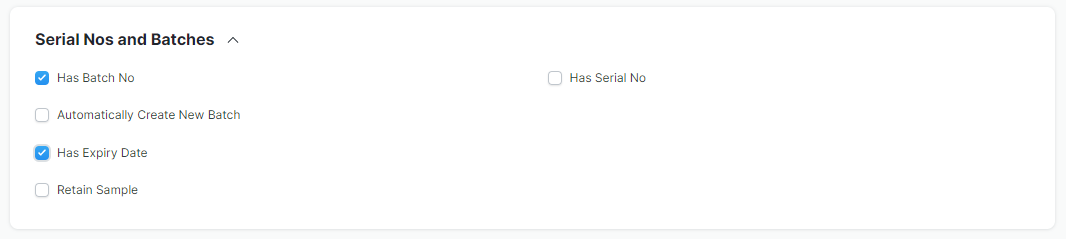
ပထမဦးစွာ Item > Serial Nos and Batches > Has Batch No နှင့် Has Expiry Date ကိုအမှန်ခြစ်ထားပေးရပါမည်။
Batch Number များ create လုပ်လိုပါက....
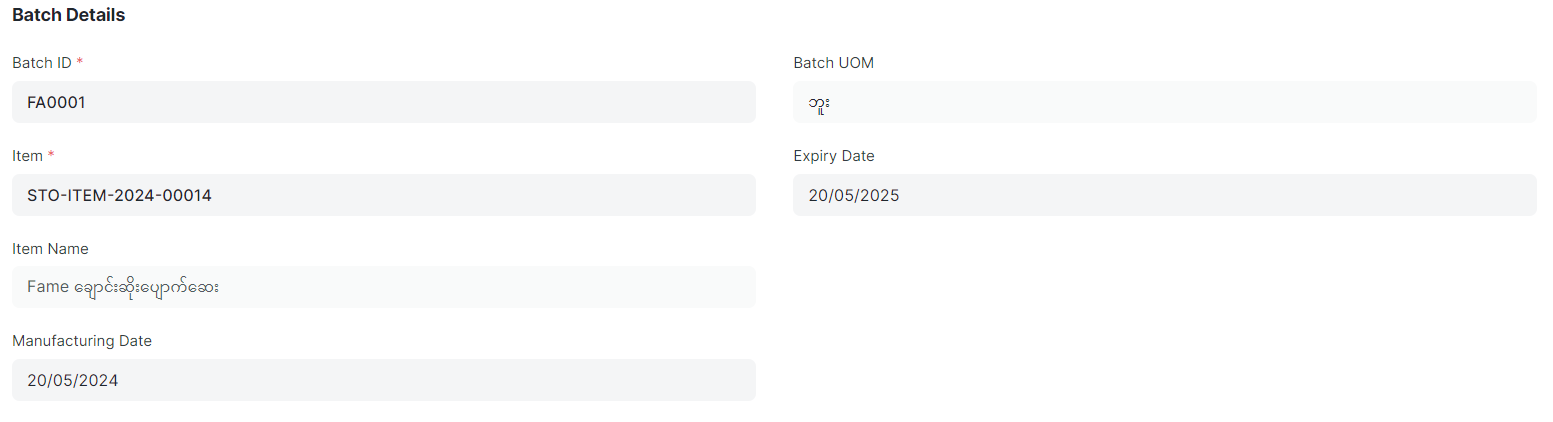
Home > Stock > Serial No and Batch > Batch ကိုနှိပ်ပါ။
- Batch ID ကိုထည့်ပါ။
- Batch ထည့်မည့် Item Code ကိုရွေးပါ။
- Batch UOM ကိုရွေးပါ။
- ထိုပစ္စည်း၏ Expire Date ထည့်လိုပါက ထည့်ပါ။
- ထို့နောက် Save ကိုနှိပ်၍ Batch Number များသတ်မှတ်နိုင်ပါသည်။
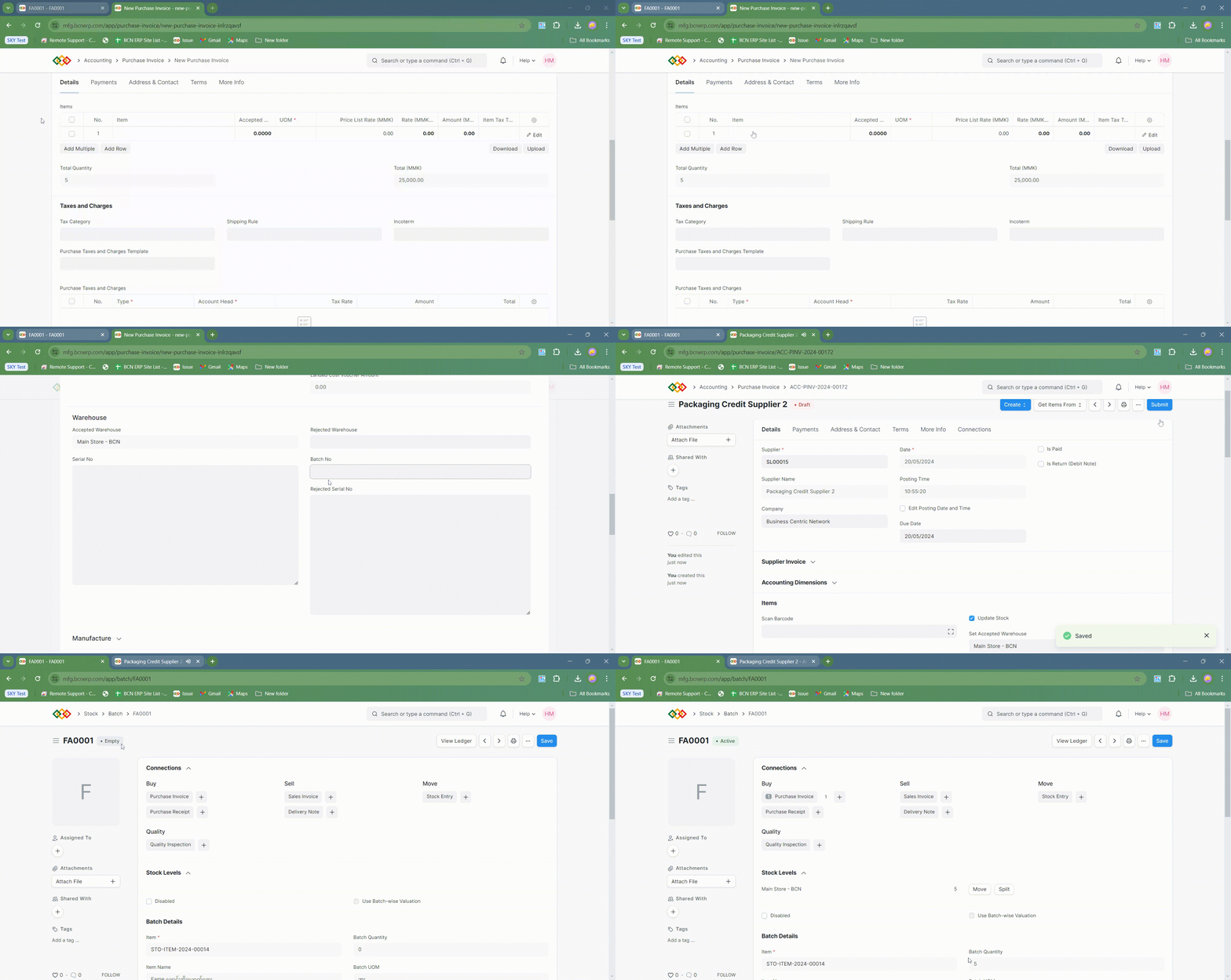
- ထည့်သွင်းထားသော Batch အား ကုန်ပစ္စည်းနှင့်သက်ဆိုင်သည့် Transaction များတွင် ပြန်လည်ရွေးချယ်နိုင်ပါသည်။
Last updated 4 months ago
Was this helpful?