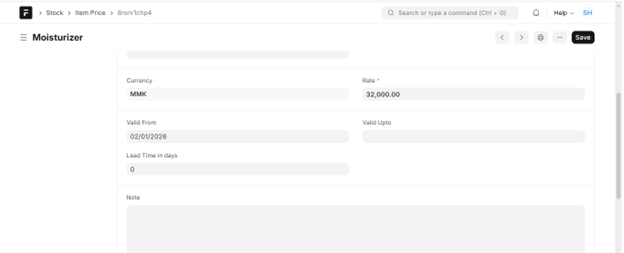
Item Price Define Valid Upto and Insert New Record
ယခင်ထည့်သွင်းထားသော Item Price များအား မည်သည့်နေ့အထိသာ အကျုံးဝင်မည်ဟု သတ်မှတ်ခြင်းနှင့် စျေးနှုန်းအသစ်ထပ်မံထည့်သွင်းလိုပါက အောက်ပါအတိုင်းလုပ်ဆောင်နိုင်ပါသည်။
-
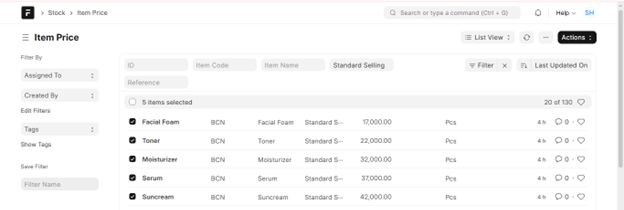
ပြင်လိုသော Item များကို Select လုပ်ပါ။
-
Actions ကိုနှိပ်၍ Edit လေးကိုရွေးပေးပါ။
-
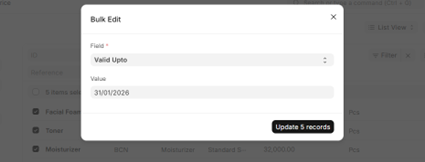
Field နေရာတွင် Valid Upto ကိုရွေးပေးပါ။
-
Value နေရာတွင် သတ်မှတ်လိုသော Date ကိုရွေးပေးပါ။
-
Update records လေး လုပ်ပေးပါ။
-
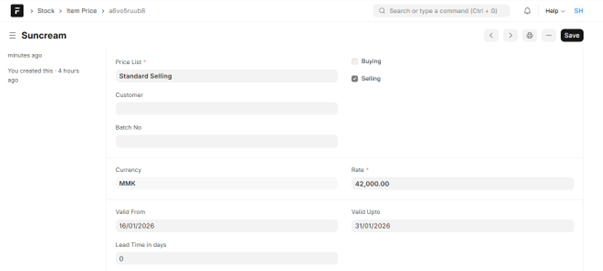
Update လုပ်ပြီးသော Item လေးတွေထဲ ဝင်ကြည့်လျှင် Valid Upto လေးပြောင်းသွားတာကို တွေ့ရပါမည်။
####Valid From အသစ် ထည့်သွင်းလိုပါက
-
ပထမဦးစွာ Data Import သို့သွားပါ။
-
Add Data Import ကိုနှိပ်ပါ။

-
Document Type တွင် Item Price ကိုရွေးပါ။
-
Import Type တွင် Item price အသစ်ထည့်သွင်းမှာဖြစ်သည့်အတွက် Insert New Records လေးကိုရွေးပေးပါ။
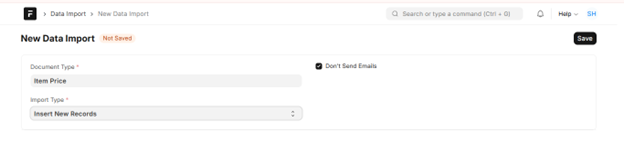
-
Save ကိုနှိပ်ပါ။
-
Import File မှ Attach လေးကိုနှိပ်၍ မိမိ Data ပြင်ထားသော Excel File လေးအားတွဲပေးပါ။
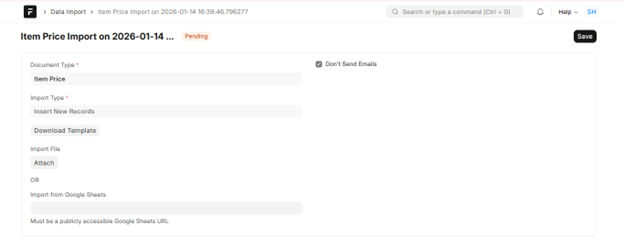
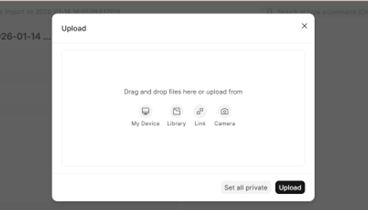
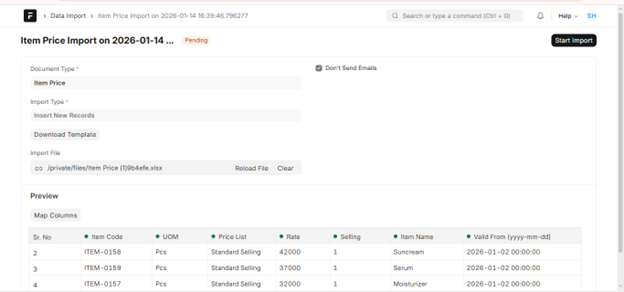
-
Start Import ကိုနှိပ်ပါ။
-
Import လေးသွင်းပြီးပါက Data Import ရဲ့ Status လေးကလဲ Success အဖြစ်ပြနေပါမည်။
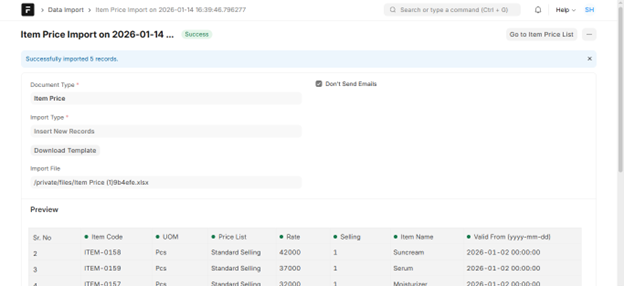
- ထည့်သွင်းလိုက်သည့် စျေးနှုန်းအသစ်များအား Item Price တွင် ပြန်လည်စစ်ဆေးနိုင်ပါသည်။