လုပ်ငန်းများတွင် ပစ္စည်းများအား အရောင်များ (သို့) size များခွဲ၍ ထုတ်လုပ်ခြင်း(သို့)ဝယ်ယူခြင်း/ရောင်းချခြင်းများရှိပါက ထို Item များအား Item တစ်ခုချင်းအလိုက် မသတ်မှတ်ပဲ template တစ်ခုထား၍ colour (or) size မှာအား ထို template ကိုအသုံးပြု၍ထည့်သွင်းနိုင်ပါသည်။
Item Variants မထည့်သွင်းမှီ ဦးစွာ Item Attribute များကြိုတင်သတ်မှတ်ထားရန်လိုအပ်ပါသည်။
Item တွင် Variant များဖြင့် Item ထည့်သွင်းရန်အတွက်
- Item ထည့်သွင်းရာတွင် Has Variants တွင်အမှန်ခြစ်ထည့်သွင်းရန်လိုအပ်ပါသည်။
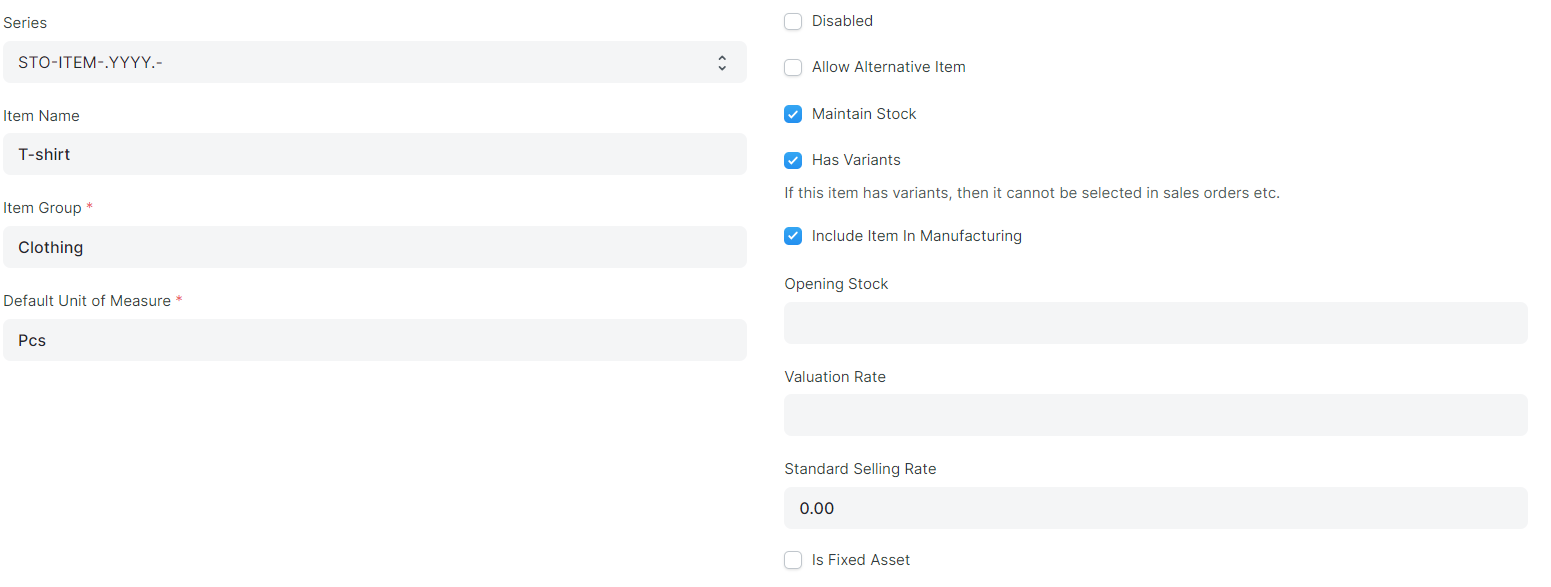
-
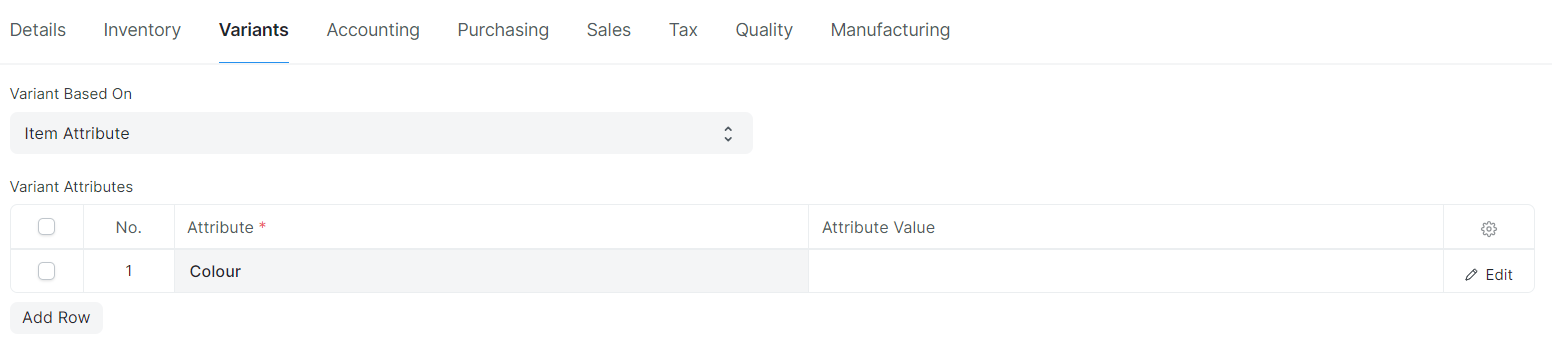
Variants အားနှိပ်၍
-
VariantsAttribute ဇယားတွင် ထည့်သွင်းသည့် Item အား အရောင်များ ခွဲ၍ Item ထည့်သွင်းမည်ဖြစ်ပါက Attribute တွင် Colour အားရွေးချယ်ပါ။
-
ထို့နောက် Save ကိုနှိပ်ပါ။
-
ထိုနည်းအတိုင်းဆိုဒ်ကိုလည်းခွဲခြားနိုင်ပါသည်။
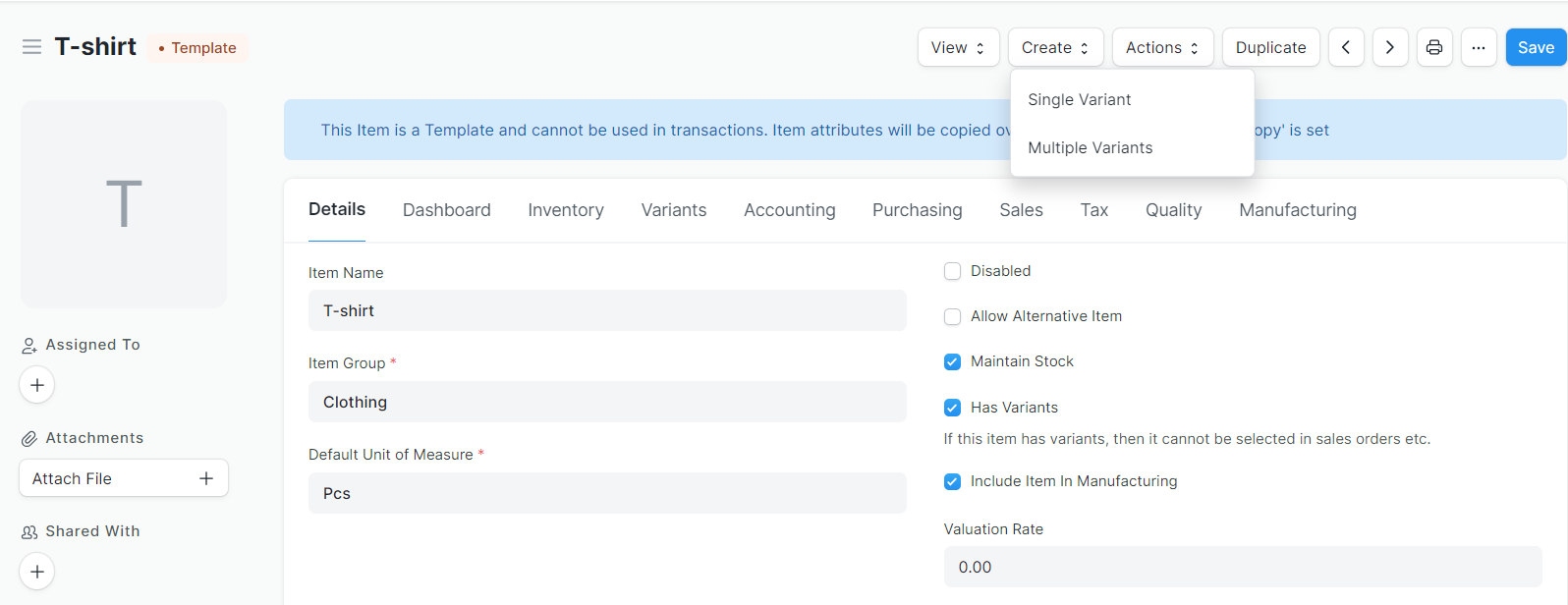
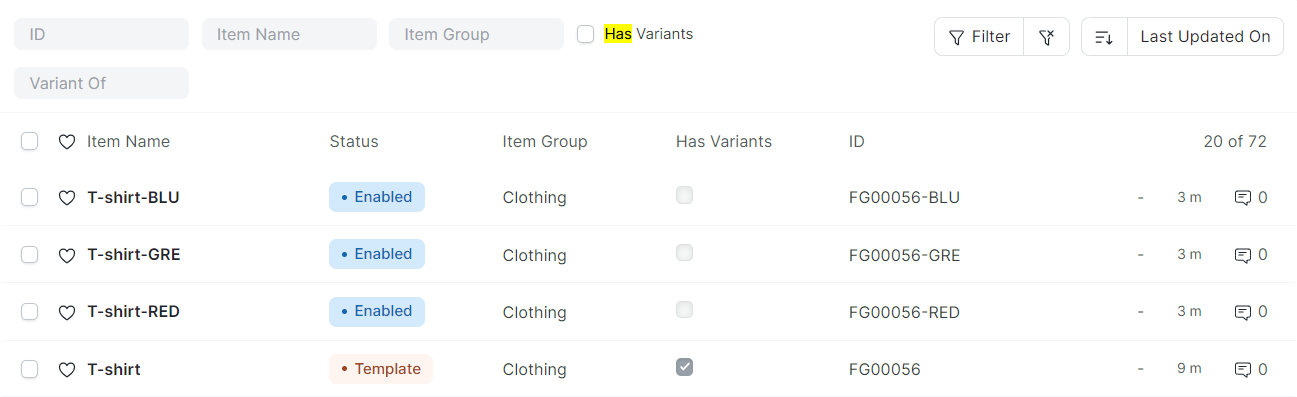
- Has Variants ဖြင့်ထည့်ထားသော Item တွင် Template ဟု၍ပေါ်လာမည်ဖြစ်သည်။

-
ထို Template အား ယူ၍ အရောင်များခွဲထားသည့် item များသတ်မှတ်ရန်အတွက်
-
Template Item ထဲသို့ဝင်၍ Create နှိပ်ပါ။
-
Multiple Variants နှိပ်ပါ။
-
-
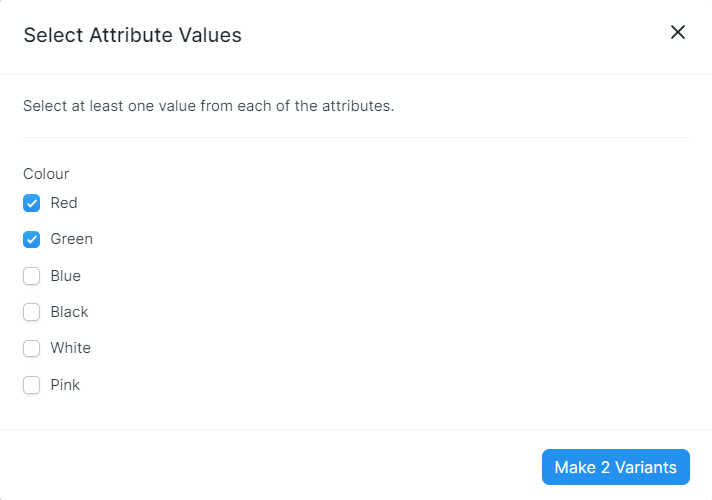
မိမိခွဲလိုသောအရောင်(သို့)ဆိုဒ်များကိုရွေးပီး Make Variants ကိုနှိပ်ပါ။
-
Item List တွင်ကြည့်ပါက .....
-
အရောင်နှင့်ဆိုဒ်များခွဲပြီးသတ်မှတ်သွားမည်ဖြစ်သည်။
Last updated 4 months ago
Was this helpful?