ငွေပေးချေမှုအတွက် Cash Book များကို Chart of Account ဖွင့်ပြီးလျှင် Mode of Payment ပြုလုပ်ပေးရန်လိုအပ်ပါသည်။
- Desktop မှ Accounting ထဲသို့ဝင်ပါ။
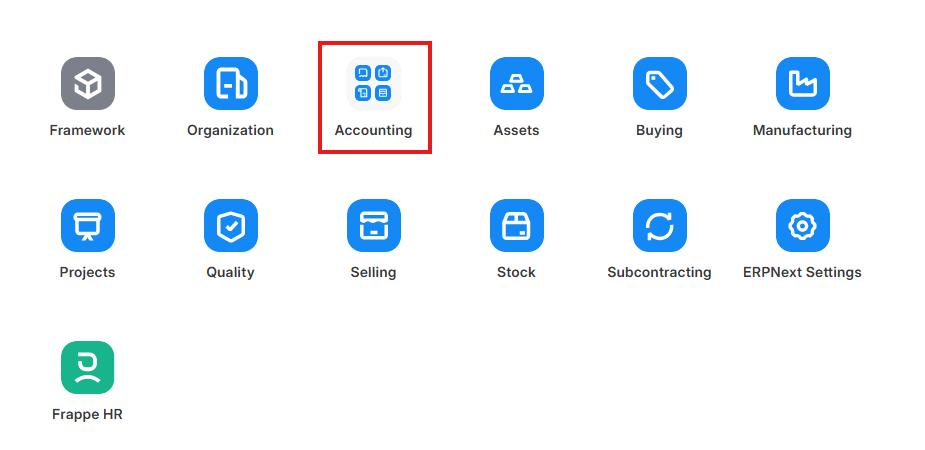
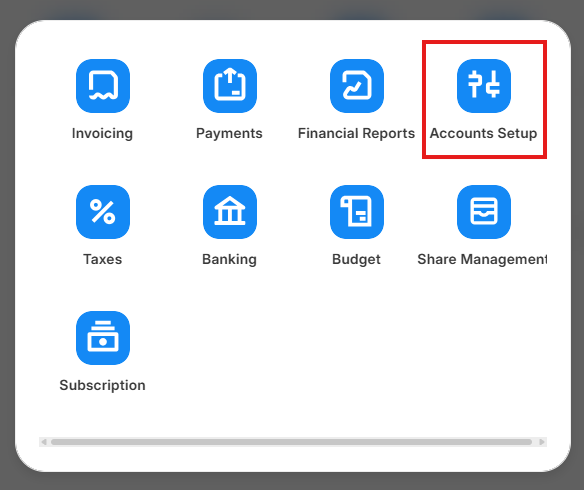
- Accounts Setup ကိုနှိပ်ပါ။
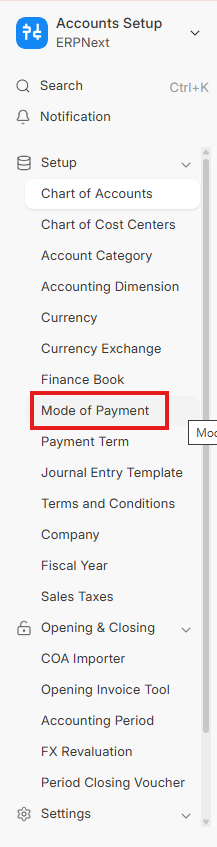
- Mode of Payment ကိုနှိပ်ပါ။
- Edit Full Form ကိုနှိပ်ပါ။
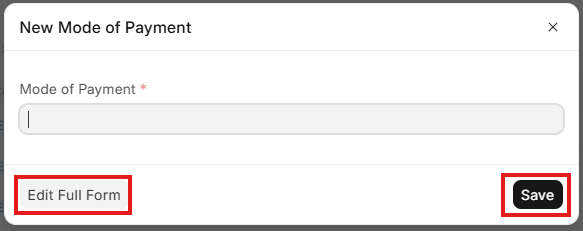
- Mode of Payment အမည်ကိုရိုက်ထည့်ပါ။
- Type တွင် Cash or Bank ကိုရွေးပါ။
- Accounts တွင် Add Row ကိုနှိပ်ပါ။
- Default Account တွင် ချိတ်ဆက်လိုသော Cash Book ၏ GL ကိုရွေးပါ။
- Save ကိုနှိပ်ပါ။
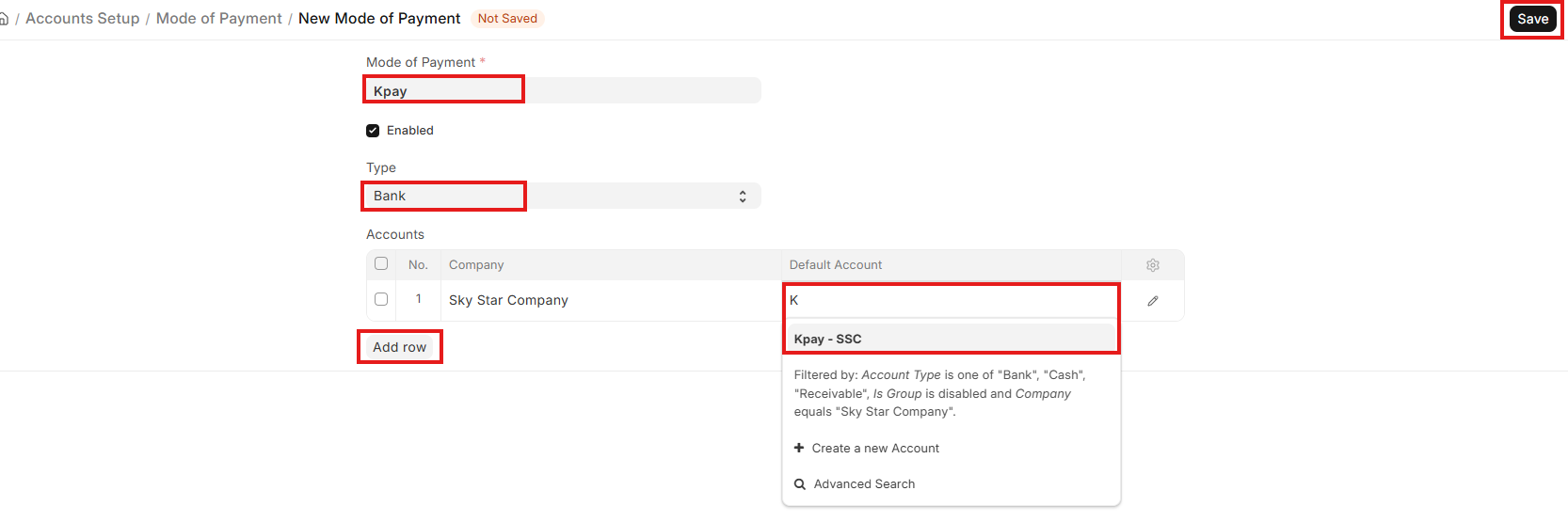
မှတ်ချက် = Mode of Payment ကို ပြုလုပ်လျှင် အသုံးပြုမည့် GL ကို Chart of Account တွင် ဖွင့်ထားရပါမည်။
Last updated 4 months ago
Was this helpful?