Expenses Claim Transaction
Expenses Claim Transaction ပြုလုပ်လိုလျှင်
-
Chart of Account တွင် GL ဖွင့်ရမည်။
-
Expenses Claim Type တွင် GL ကို တွဲပေးရပါမည်။
-
Expenses Claim မှ အဆိုပါ GL ကို ခေါ်၍ ရပါမည်။
Expenses Claim Type တွင် GL ကို တွဲနည်း
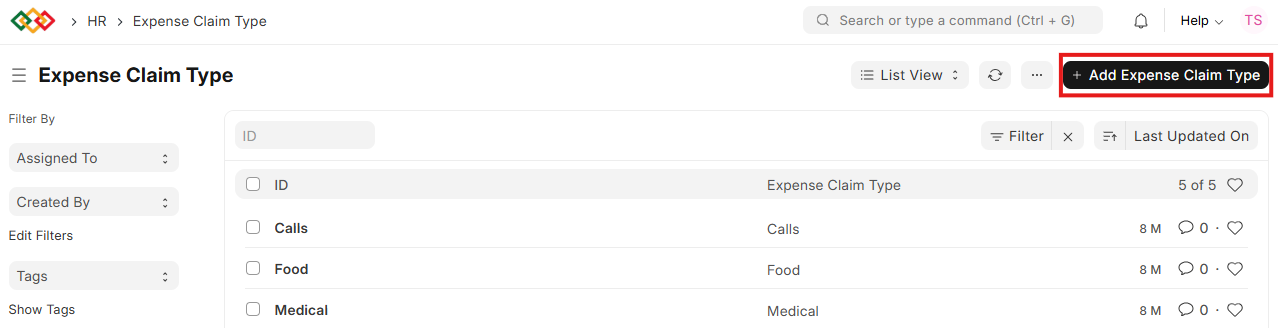
- Expense Claim Type List ထဲသို့ဝင်ပါ။
- Add Expenses Claim ကိုနှိပ်ပါ။
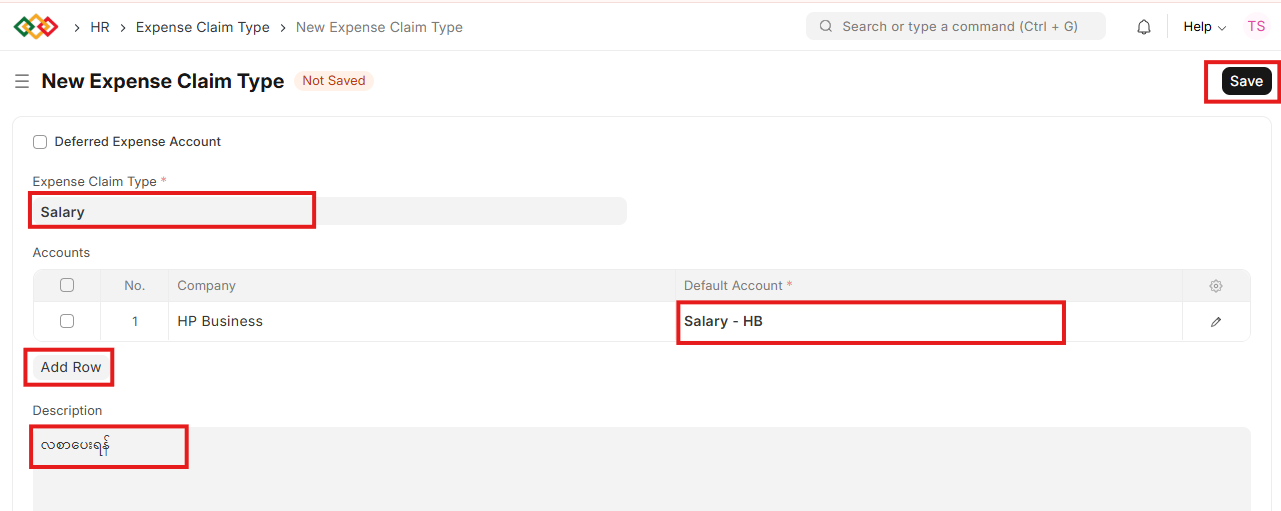
- Expenses Claim Type တွင် အမည်ရိုက်ထည့်ပါ။
- Add Row ကိုနှိပ်ပါ။
- Default Account တွင် GL ကိုရွေးပေးပါ။
- Description ရိုက်ထည့်ပါ။
- Save ကိုနှိပ်ပါ။
Last updated 4 months ago
Was this helpful?