Item Price (Data Import)
- Item Price ကို Excel ဖြင့် Data Import ကထည့်မည်ဆိုပါကဦးစွာပထမ Data Import List သို့သွားပါ။

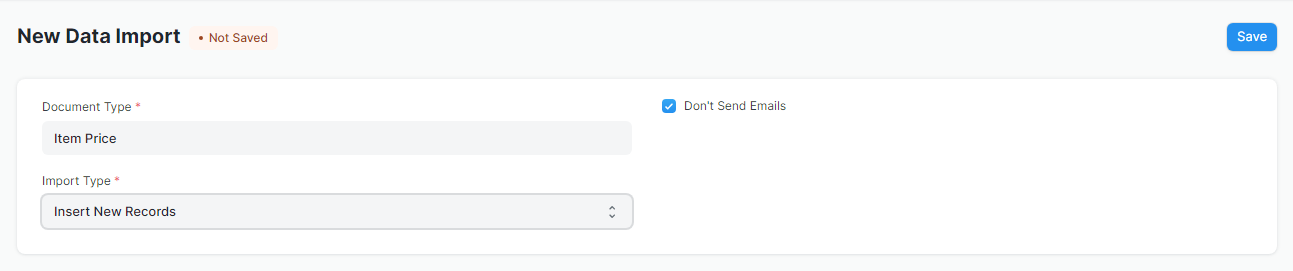
- Add Data Import ကိုနှိပ်ပါ။
-
Document Type တွင် Item Price ကိုရွေးပါ။
-
Import Type တွင်အသစ်ထပ်မည်ဆိုပါက Insert New Records ကိုရွေးပါ။ ရှိပြီးသား Data ကိုပြင်မည်ဆိုပါက Update Existing Records ကိုရွေးပါ။
-
Save ကိုနှိပ်ပါ။
- Download Template ကိုနှိပ်ပါ။
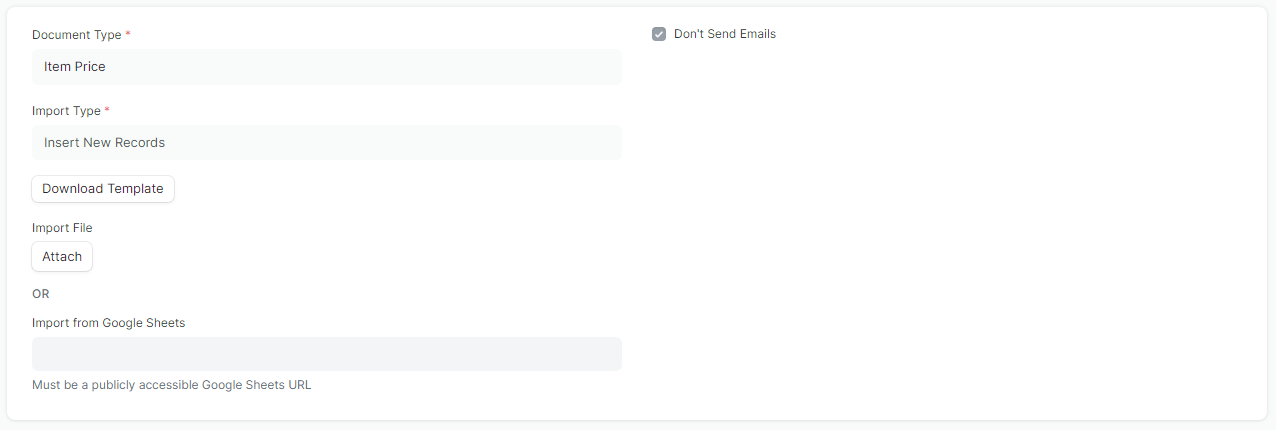
- Export Type တွင် Blank Template ကိုနှိပ်ပါ။
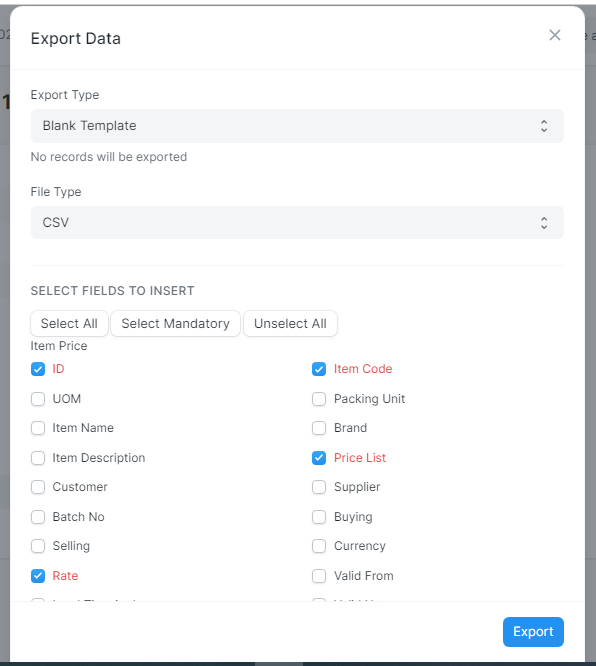
File Type တွင် Excel ကိုရွေးပါ။
-
Export Data တွင် Excel file ကို Export လုပ်လိုသော Field ကိုရွေးပါ။
-
ထို့နောက် Download Template ကိုနှိပ်၍ Excel File ကို Export လုပ်ပါ။
-
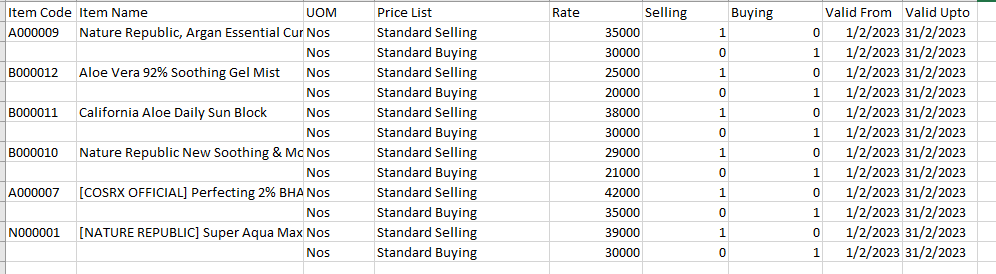
Excel File တွင်သက်ဆိုင်ရာ Column များကိုဖြည့်ပါ။
-
Rate တွင်ရောင်းဈေးကိုထည့်ပါက Selling တွင် 1 ဟုထည့်ပါ။ Rate တွင်ဝယ်ဈေးထည့်ပါက Buying တွင် 1 ဟုထည့်ပါ။
-
Rate များကိုမည့်သည်နေ့မှမည်သည့်နေ့ထိ သတ်မှတ်မည်ဆိုပါက Valid From and Valid Upto တွင်ထည့်နိုင်ပါသည်။
-
ထို့နောက် File ကို Save ပါ။
-
Data Import လုပ်ရန်အတွက် Saftware ထဲသို့သွားပါ။
- ထို့နောက် ထို Export ထုတ်ထားသော Excel File ကို Import လုပ်ရန်အတွက် Attach ကိုနှိပ်ပါ။
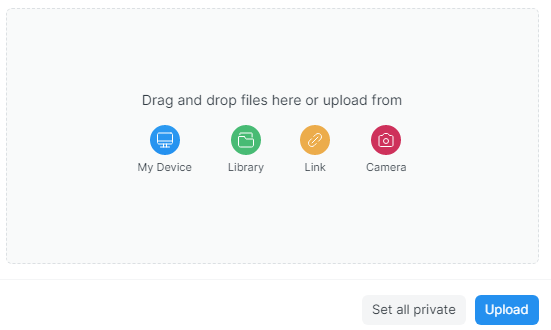
- File Location ကိုရွေးပါ။ Upload ကိုနှိပ်ပါ။ Start Import ကိုနှိပ်၍ Item Price ကို import လုပ်နိုင်ပါသည်။
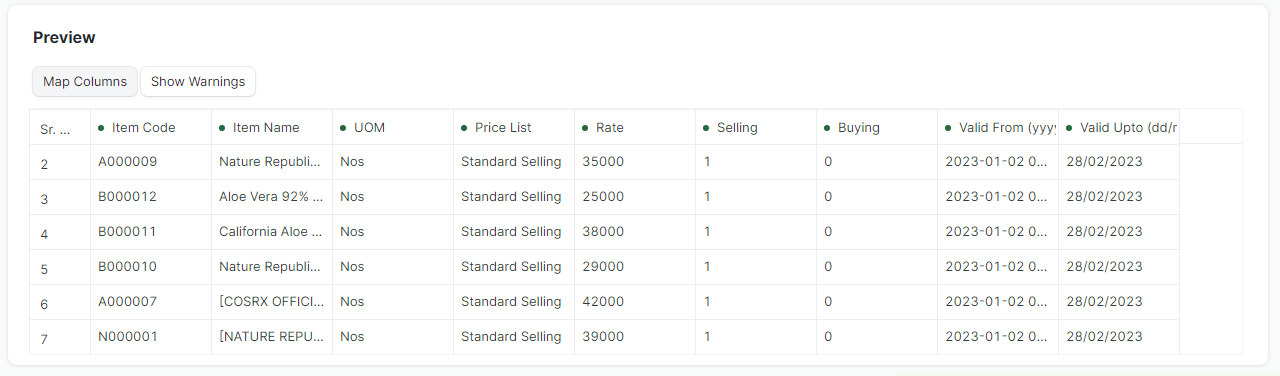
- ထို့သို့ပေါ်လာပါက Save ကိုနှိပ်ပါ။

- Success ဖြစ်သွားပါက Data အားလုံးဝင်သွားခြင်းဖြစ်သည်။
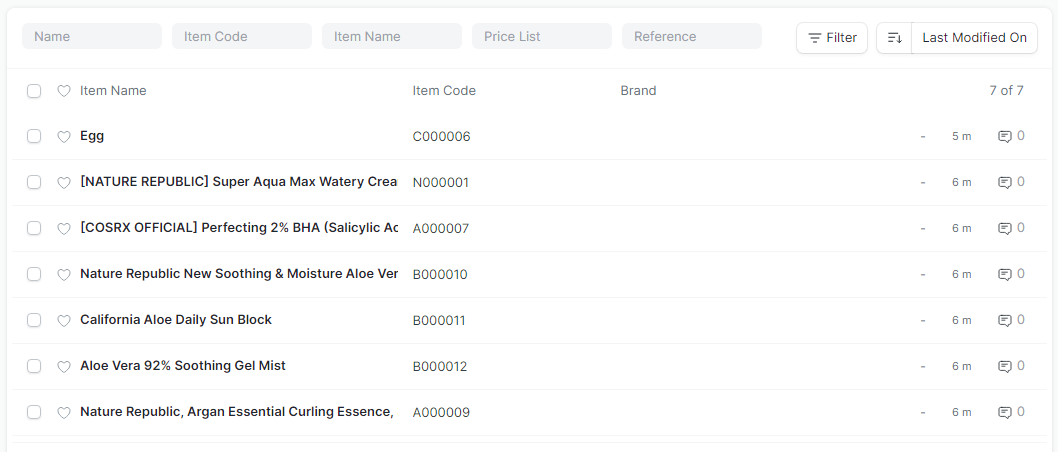
- Item Price List တွင်ကြည့်ပါကလည်းဈေးနှုန်းများဝင်သွားသည်ကိုတွေ့ရမည်ဖြစ်သည်။
Last updated 5 months ago
Was this helpful?