လုပ်ငန်းတွင်အသုံးပြုရန်ဝယ်ယူထားသော ပုံသေပိုင်ပစ္စည်းများအား Department မှတစ်ခုမှတစ်ခု(သို့)Location တစ်နေရာမှတစ်နေရာ(သို့) ဝန်ထမ်းတစ်ယောက်ဆီမှ အခြားတစ်ယောက်ဆီသို့ Transferလုပ်သည့်အခါတွင် Transfer Assets ဟုခေါ်သည်
Transfer Assets ထည့်သွင်းရန်အတွက်
- လုပ်ငန်းတွင်ရှိသော ပုံသေပိုင်ပစ္စည်းများကို Transfer လုပ်ရန်အတွက် Asset ထဲကိုဝင်ပါ။
- Asset တွင်စာရင်းသွင်းထားသော Asset စာရင်းများကိုအောက်ပါအတိုင်းတွေ့ရပါမည်။
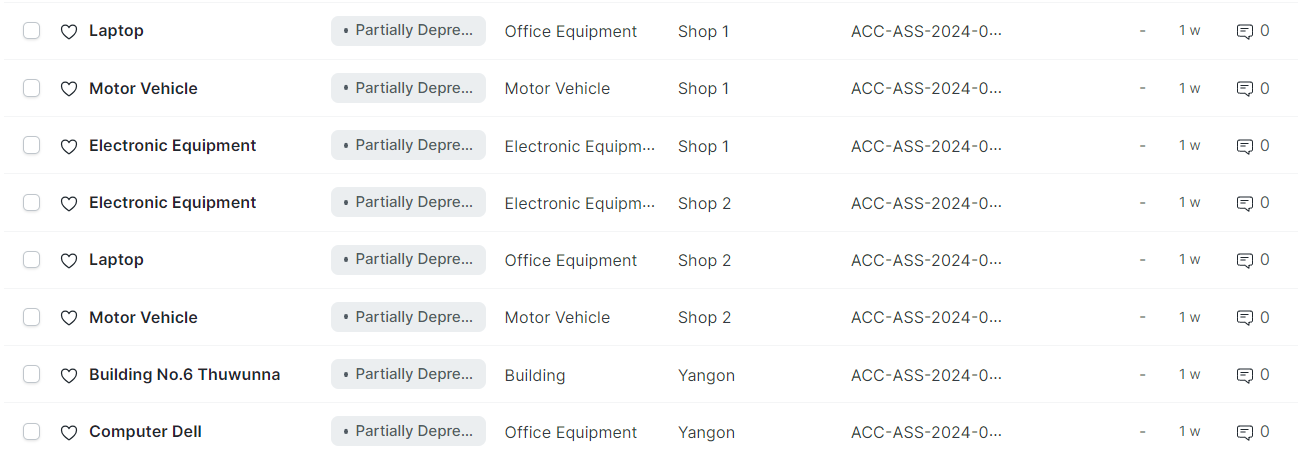
- Transfer လုပ်မည့် Asset ထဲကိုဝင်ပါ။
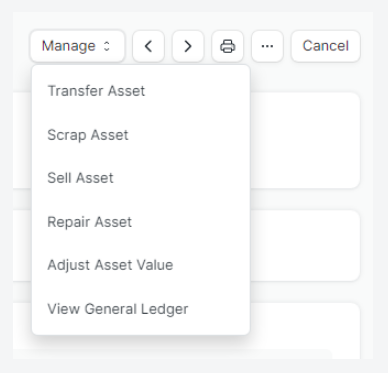
- Manage ကိုနှိပ်ပါ။
- Transfer Asset ကိုနှိပ်ပါ။
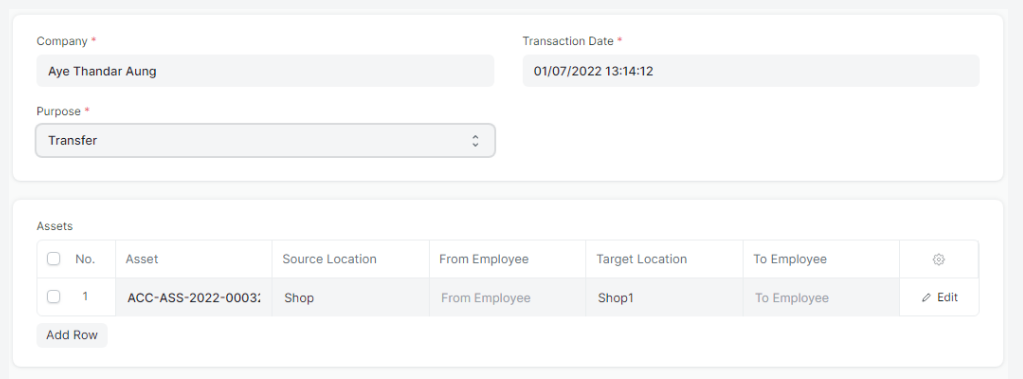
- Transaction Date တွင် Asset ပြောင်းရွေးမည့် ရက်ကိုထည့်ပါ။
- Purpose တွင် Transfer ကိုရွေးချယ်ပါ။
- Source Location တွင် Fixed Asset ထွက်မည့် Location ကိုရွေးချယ်ပါ။
- Target Location တွင် Fixed Asset လက်ခံမည့် Location ကိုရွေးချယ်ပါ။
- Save>> Submit လုပ်ပါ။
- ကျန်နေသောအစောင်များကိုလည်းထိုနည်းအတိုင်းလုပ်ပါ။
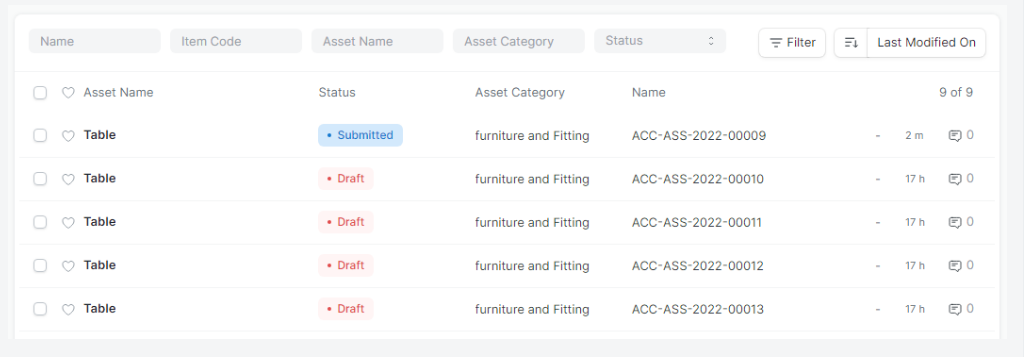
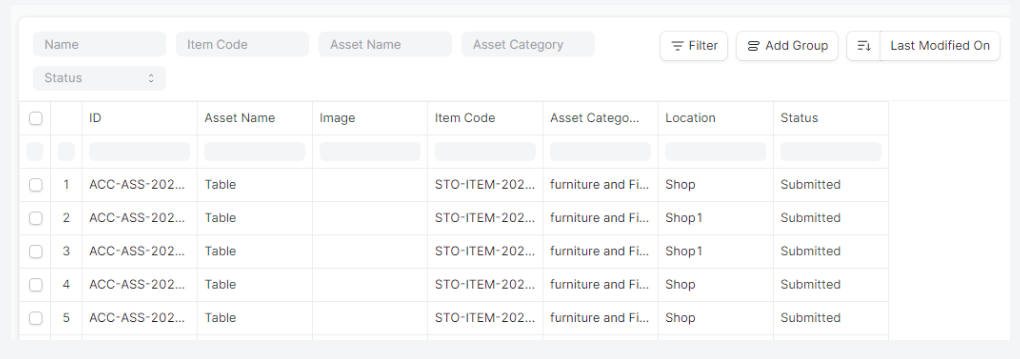
Asset Report တွင်ကြည့်ပါကလည်း.....
- Fixed Asset များ Location ခွဲ၍ဝင်သွားသည်ကို အောက်ပါအတိုင်း တွေ့ရပါမည်။
Last updated 4 months ago
Was this helpful?