Manual Journal Entry for Asset
ERPNext တွင် Fixed Asset ဝယ်ယူသည့်စာရင်းနှင့် တန်ဖိုးလျှော့ စာရင်းများကို Journal Entry မှထည့်သွင်းမည်ဆိုပါက အောက်ပါအတိုင်း ထည့်သွင်းပေးရပါမည်။
Fixed Asset အဝယ်စာရင်းမထည့်သွင်းမှီ Asset Category ကို ပထမဦးစွာ သတ်မှတ်ထားရန်လိုအပ်ပါသည်။
- Asset Category ထည့်သွင်းနည်း
Asset Category
အဝယ်စာရင်းကို Journal Entry မှထည့်သွင်းမှာဖြစ်သည့်အတွက် Accounting Module ထဲမှ Journal Entry ထဲကိုဝင်ပါ။
- Add Journal Entry ကိုနှိပ်ပါ။

- Posting Date တွင် Fixed Asset ပစ္စည်းဝယ်ယူသည့်ရက်ကို ထည့်သွင်းပါ။
- Account တွင် Electronic နှင့်ဆိုင်သည့် ပစ္စည်းကိုဝယ်ပါက Electronic Equipment Account ကိုရွေးပါ။
- Debit ဘက်ခြမ်းတွင် သက်ဆိုင်ရာ ပစ္စည်း၏ Cost ကိုထည့်ပါ။
- Add Row ကိုနှိပ်ပါ။
- ငွေသားဖြင့် ဝယ်ပါက Account တွင် Cash ကိုရွေးပါ။
- Save>> Submit>> Yes ကိုနှိပ်ပါ။
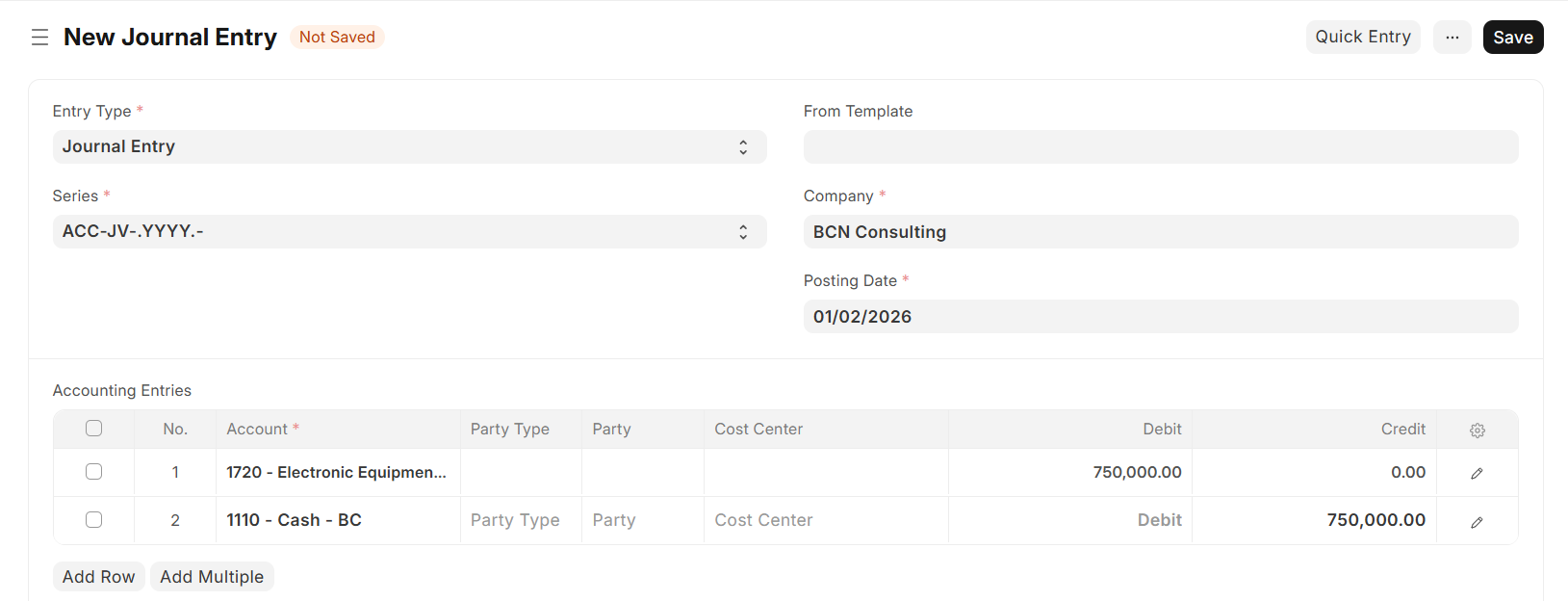
လကုန်သည့်အချိန်တွင် Depreciation Journal များကို Manual ထည့်သွင်းရန်အတွက် Journal Entry ထဲကိုဝင်ပါ။
- Add Journal Entry ကိုနှိပ်ပါ။
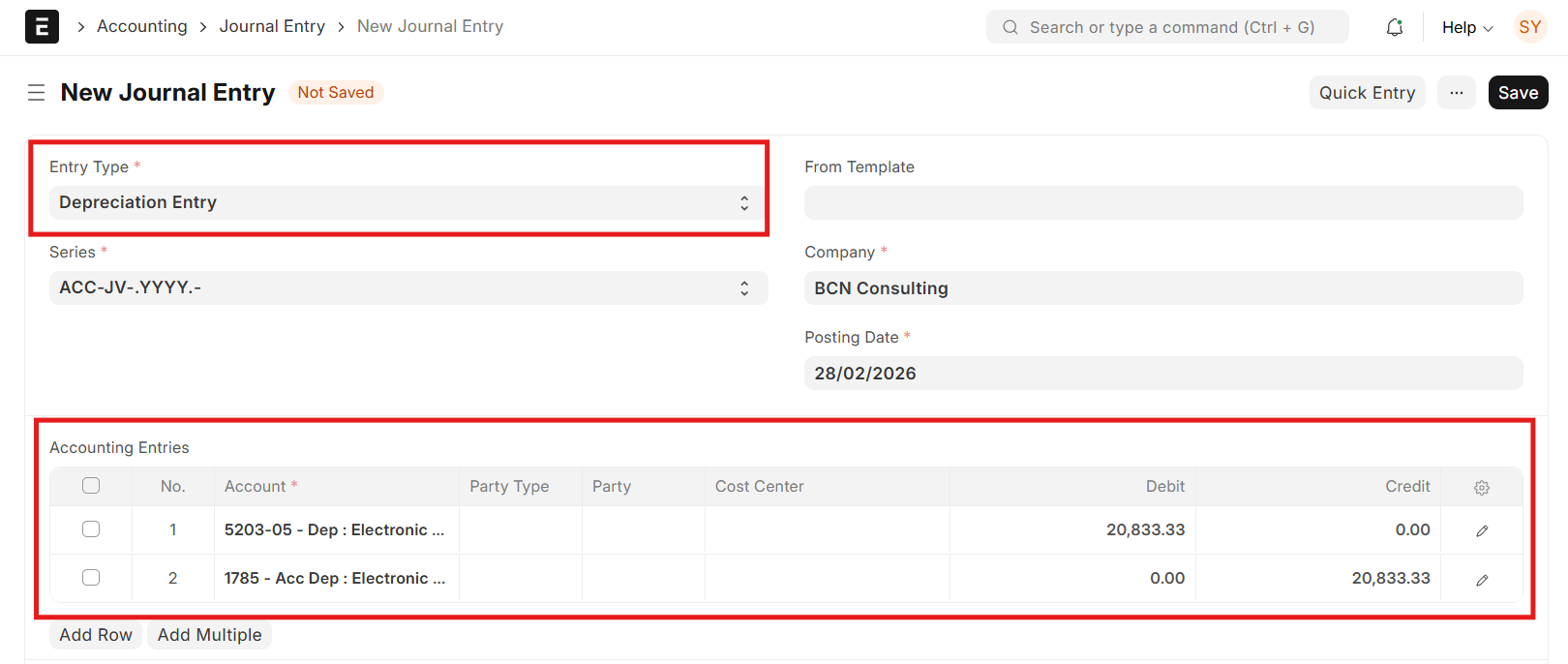
- Entry Type တွင် Depreciation Entry ကိုရွေးချယ်ပါ။
- Posting Date တွင် လကုန်ရက်ကိုထည့်ပါ။
- Account တွင် Dep: Expenses Electronic Equipment Account ကိုထည့်ပါ။
- Debit ဘက်ခြမ်းတွင် Asset ၏ တစ်လစာ Depreciation Amount ကိုထည့်ပါ။
- Add Row ကိုနှိပ်ပါ။
- Account တွင် Acc Dep: Electronic Equipment Account ကိုထည့်ပါ။
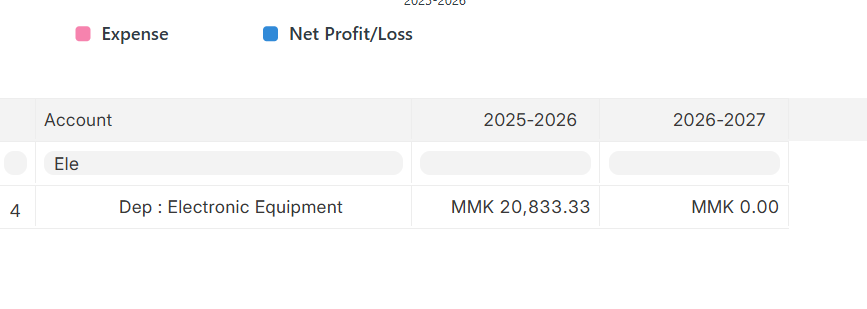
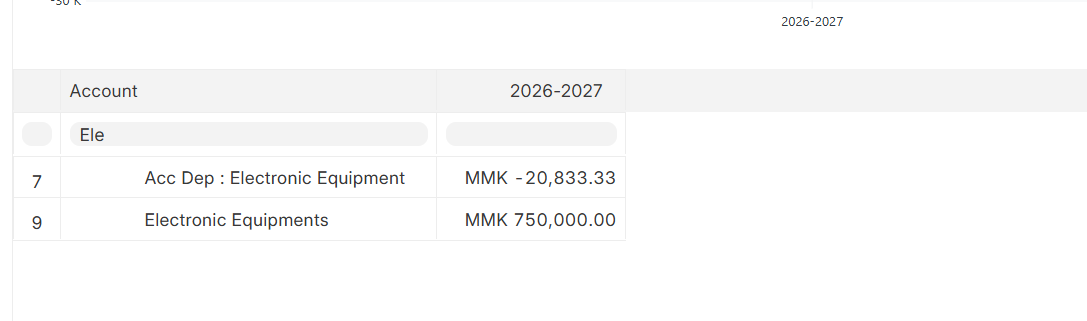
ထို Asset နှင့်ဆိုင်သည့် Amount များကိုစစ်ချင်ပါက Profit and Loss နှင့် Balance Sheet တွင် သက်ဆိုင်ရာ Fixed Asset Account များကိုအောက်ပါအတိုင်း စစ်ကြည့်နိုင်ပါသည်။
Last updated 4 months ago
Was this helpful?