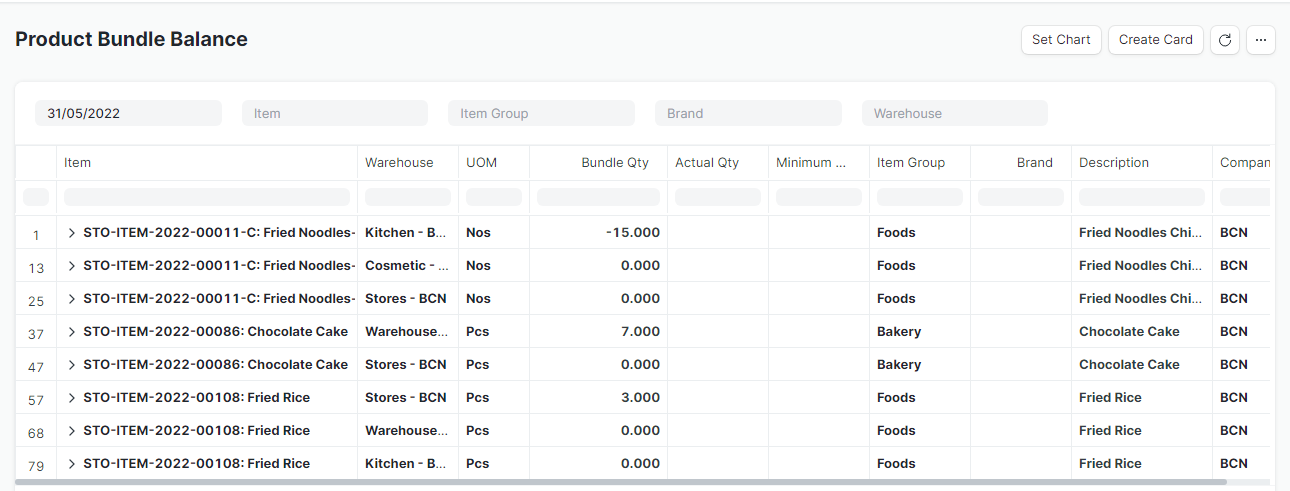
ERPNext တွင် Product များကို Product Bundle အလိုက်ရောင်းလိုပါက Product Bundle များ ပြုလုပ်၍ ရောင်းချနိုင်ပါသည်။
Product Bundle များ ပြုလုပ်လိုပါက....
Product Bundle Name
Product Bundle ၏ Name (eg. သီတင်းကျွတ်လက်ဆောင်ခြင်း)ကိုဦးစွာသတ်မှတ်ပေးရန်လိုအပ်ပါသည်။
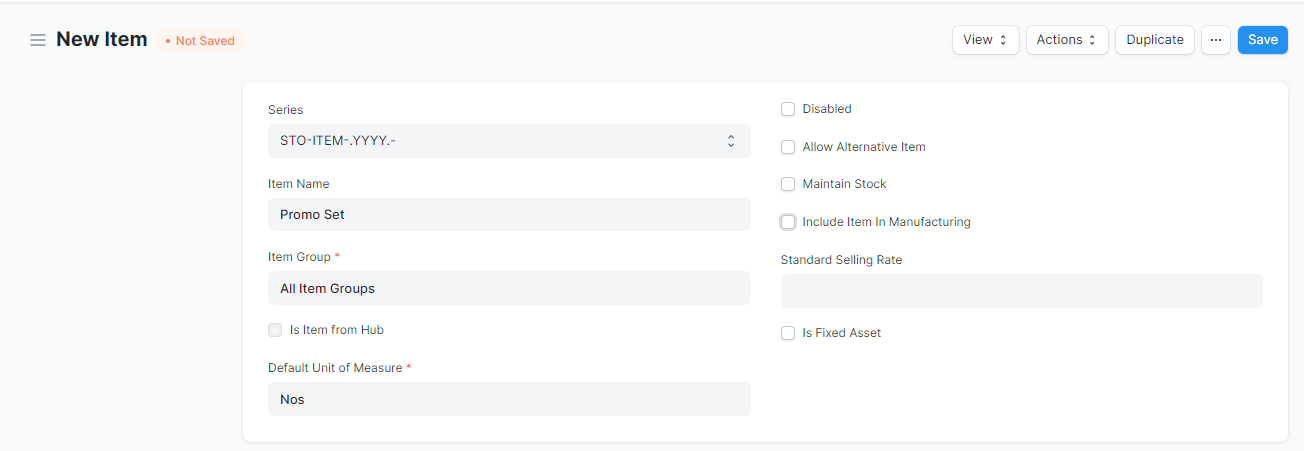
Product Bundle Name ကို Stock > Item တွင် Non-Inventory Item အနေဖြင့် Create လုပ်ပေးရပါမည်။
Stock > Item > Add Item
-
Maintain Stock ကိုအမှန်ခြစ်ဖြုတ်ပါ။
-
Include Item In Manufacturing ကိုအမှန်ခြစ်ဖြုတ်ပါ။
-
Description ထည့်လိုပါက ထည့်ပါ။
Add Product Bundle
Product Bundle Name သတ်မှတ်ပြီးပါက Product Bundle များ ပြုလုပ်ရန်အတွက်....
Selling > Items and Pricing > Product Bundle
Add Product Bundle ကိုနှိပ်ပါ။

-
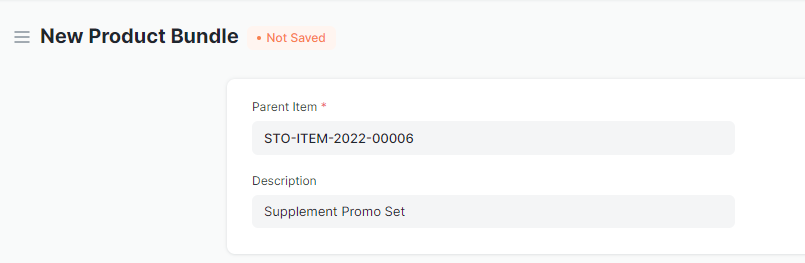
Parent Item တွင် Product Bundle Name အတွက်သတ်မှတ်ထားသော Non-Inventory Item Code ကိုရွေးပါ။
-
Description ထည့်လိုပါက ထည့်ပါ။
- Items တွင် Product Bundle တွင်ပါဝင်သော Stock Item Code များကိုရွေးပါ။
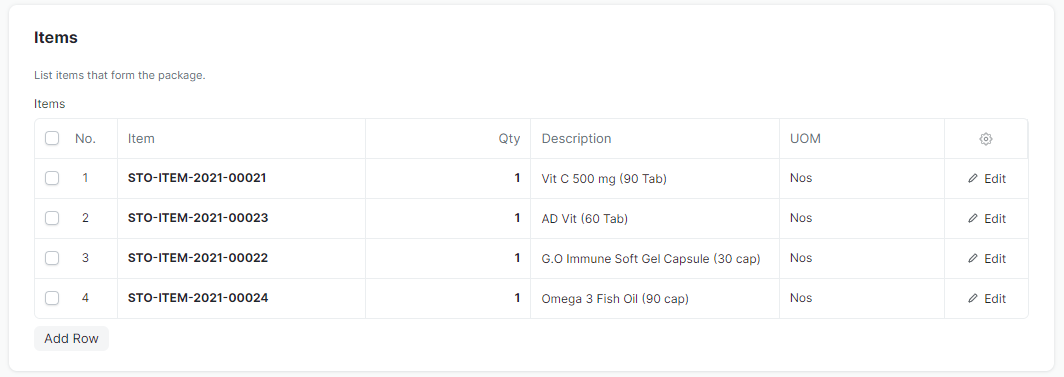
Save ကိုနှိပ်၍ Product Bundle များသတ်မှတ်၍ အရောင်းပြုလုပ်နိုင်ပါသည်။
Product Bundle Report
- Product Bundle အတွက် Report ကို Product Bundle Balance Report တွင်ကြည့်၍ စစ်ဆေးနိုင်ပါသည်။